
Opens in a new tab
Instructions

Connect to Pipeson Web Service in Data Manager v4

Instructions

When you start Pipeson Data Manager for the first time, the Pipeson Web Service settings window will open.

Enter a name for the connection, the Admin Service URL, username, and password. The connection details are provided by your IT department or Pipeson.
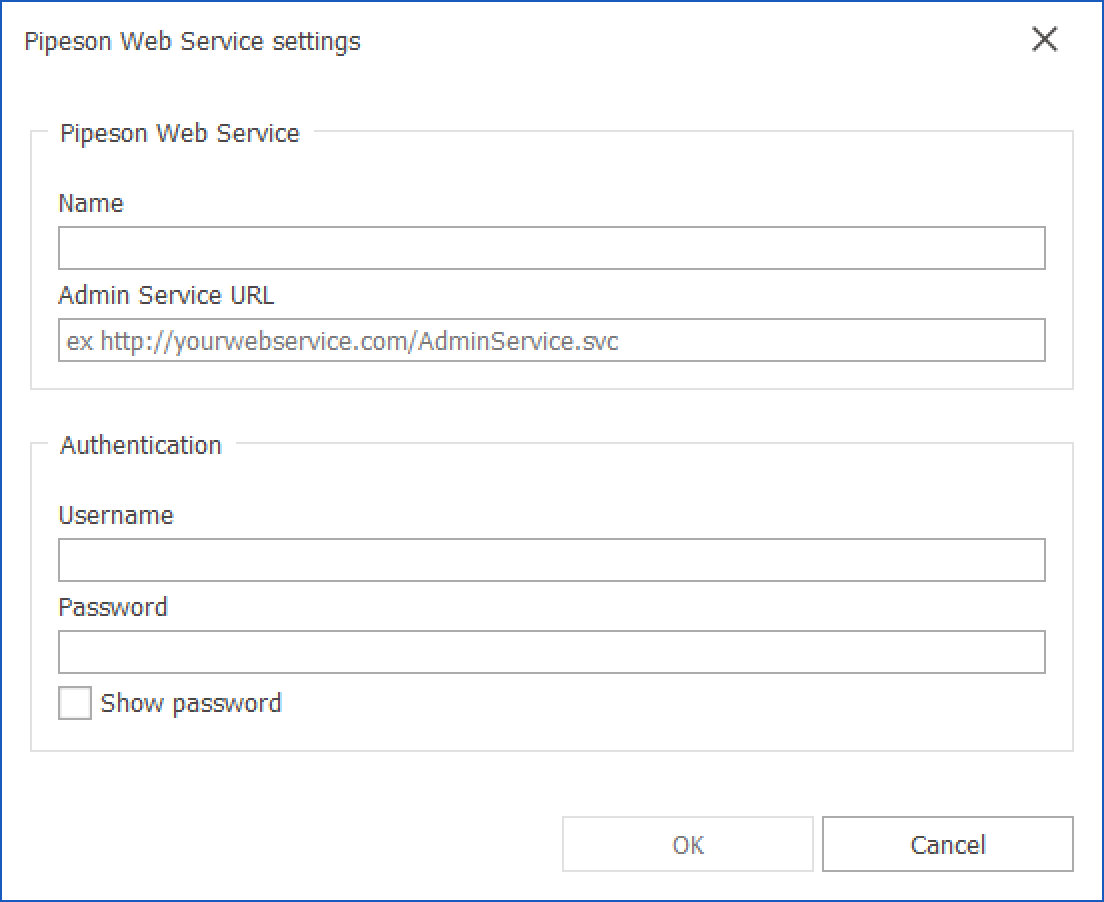
Click OK to save the connection settings and start Pipeson Data Manager.

Privacy Overview

This website uses cookies so that we can provide you with the best user experience possible. Cookie information is stored in your browser and performs functions such as recognising you when you return to our website and helping our team to understand which sections of the website you find most interesting and useful.

Strictly Necessary Cookies

Strictly Necessary Cookie should be enabled at all times so that we can save your preferences for cookie settings.